Staying Connected in Singapore Without Roaming Charges
Singapore offers eSIMs, 100GB tourist SIM cards from S$12 at Changi, and free public Wi-Fi. The real essential is downloading Grab before you land, because setup requires an SMS code.
Affiliate links. If you buy through the links below we may earn a commission, at no extra cost to you. How this works.
Best eSIM plans for Singapore
-
uPhone
uPhone Singapore, 3 GB / 7 days
- Data
- 3 GB
- Valid
- 7 days
- Price
- USD 6.00
- Per GB
- USD 2.00
-
uPhone Our pick
uPhone Singapore, 10 GB / 30 days
- Data
- 10 GB
- Valid
- 30 days
- Price
- USD 15.00
- Per GB
- USD 1.50
-
uPhone
uPhone Singapore, unlimited / 15 days
- Valid
- 15 days
- Price
- USD 34.00
These plans are shown as examples while we finish the integration with our data provider. Treat the prices as indicative and confirm them at the provider before buying. We show cost per GB because that is the number that actually differs.
Our first eSIM recommendation is uPhone. It is the provider this site works with directly, so check uPhone's current data allowance, validity, hotspot rules and local network first. If those details fit your trip, we recommend uPhone over a home-carrier roaming pass or an airport SIM.
The Connectivity Trap Nobody Warns You About
You have a phone in your pocket. You land at Changi, tap the Grab app to call a car to your hotel, and the app asks you to verify your phone number by SMS. You cannot receive SMS because your home carrier charges roaming. You are now standing at the kerb with no ride, paying for a taxi with cash you do not have, in heat that hits you like a wet towel. This is the single most preventable mistake in Singapore, and it happens every day.
The fix is simple: download and register for Grab before you leave your departure city. Grab is not optional here. It handles ride-hailing, food delivery, and the cashless payments that many hawker stalls now accept. The SMS verification step that unlocks the app only works while your regular SIM is active. Once you switch to airplane mode mid-flight, the code never arrives. Do it at home. Do it at the departure gate. Do it before you board.
That solves one problem. The larger question is how you connect your phone itself once you land. You have three paths: a tourist eSIM bought and installed before you fly, a tourist SIM card bought at the airport or a convenience store after arrival, and the free public Wi-Fi network plus hotel and airport hotspots. Each has a tradeoff you need to understand before you spend money.

The ESIM Option: Do it Before You Fly
An eSIM is a digital SIM you buy online and install on your phone before departure. Singtel, StarHub and M1 all offer tourist eSIMs through their own websites and through third-party marketplaces. The data allowances run from 100 GB to unlimited for validity periods of 7, 14 or 30 days, priced from about SGD 12 to SGD 50. Registration requires only an email address and online payment. No passport scan is needed for most tourist eSIM plans.
The advantage is pure convenience. You land, you disable airplane mode, and your data works immediately. You do not queue at a counter in the arrival hall. You do not swap out your regular SIM and risk losing it. You do not need to find a Wi-Fi hotspot to activate anything.
The downside is that eSIM support is not universal. Older phones and some carrier-locked devices cannot accept an eSIM. Check your phone's compatibility before you buy. If you travel onward to Malaysia or Indonesia, a regional ASEAN eSIM plan covering multiple countries costs from USD 5 to USD 50 for 7 to 30 days. That saves you buying a separate SIM in each country. But those regional plans offer less data than a single-country Singapore plan, and the roaming data on some regional eSIMs routes through a slower backhaul. Read the fine print on speed throttling before you purchase.
The Physical Tourist SIM: the Fallback That Works
Where To Buy And What You Need
A tourist SIM is the backup plan that still makes sense for certain travellers. Singtel brands its offering the hi!Tourist SIM, StarHub calls it the StarHub Tourist SIM, and M1 uses M1 Tourist SIM. You can buy them at Changi arrival halls, at 7-Eleven and Cheers convenience stores, and at telco retail outlets. Prices at the airport run from SGD 12 to SGD 50. Convenience stores charge between SGD 15 and SGD 30. Data starts at 100 GB and goes up to unlimited. Validities are 7, 14 or 30 days.
The key catch: you must present your passport at the point of purchase. The counter staff scan it to register the SIM. This takes two minutes if the queue is short and ten if it is not. At Changi, the counters are located after baggage claim, before customs exit, and they have their own queues that swell when a wide-body flight from Europe or North America empties. If you arrive at 6 AM on a Monday, you will wait.
Who Should Choose A Physical SIM
Anyone with an older phone that does not support eSIM. Anyone who needs a local number for local calls, which eSIM data-only plans do not provide. Anyone travelling to Johor Bahru or Batam, because a Singapore tourist SIM can roam into Malaysia or Indonesia with an add-on costing SGD 5 to SGD 15 per day. A regional eSIM covers those countries too, but the card gives you a Singapore number that friends or hotels can reliably reach. The downside is that you carry a tiny piece of plastic that you can lose, and you spend your first ten minutes in Singapore finding and waiting at a counter.
The Free Option: Public Wi-Fi, Hotel Wi-Fi and Airport Wi-Fi
Free public Wi-Fi in Singapore is better than in most cities but worse than you hope. The government network, operated by the Infocomm Media Development Authority, covers roughly 27,000 hotspot locations including MRT stations, public libraries, community centres, hawker centres and government buildings. Changi has unlimited free Wi-Fi in all terminals with no time limit. Every licensed hotel offers free Wi-Fi in guest rooms and lobbies. Most cafes and restaurants provide free Wi-Fi as well, though hawker centres rely on the public network alone.
The Limits Of Free Connectivity
The catch is speed. The public hotspots are throttled to up to 5 Mbps. That is fine for messaging, maps and browsing. It is frustrating for video calls, streaming or uploading photos. The session times out every 12 hours and requires re-authentication. Registration requires a mobile number to receive an SMS, which loops back to the problem of not having a working SIM. You can register using your home number before you travel, or you can use Singpass if you have one, but most short-stay visitors do not. A three-day trip is viable without any SIM if you rely on hotel Wi-Fi, Changi Wi-Fi and the free public hotspots. Expect to check every location for signal, and expect to lose connectivity on the MRT between stations where the tunnels lack coverage, though all three networks claim full 4G coverage in MRT tunnels, so this is only an issue if you have no SIM at all.
The real limitation is that you cannot use the free network to order a Grab car at the airport, because you need the SMS verification first. The free path functions as a supplement, not a primary connection. Do not rely on it if you need to work or navigate continuously through the day.
.jpg)
Making the Call: Which Path Fits Your Trip
If your phone supports eSIM and you want to walk off the plane with data active, buy a tourist eSIM online before departure. Accept that you will not have a local voice number. If your phone is older, carrier-locked, or you need a Singapore number for calls and cross-border roaming into Malaysia or Indonesia, buy a tourist SIM at Changi and budget the queue time.
If you are on a tight budget and already have Grab set up on your home data, you can stretch a three-day trip on free Wi-Fi alone. The heat between 11 AM and 3 PM is punishing enough that you will retreat into air-conditioned spaces with Wi-Fi anyway, the National Gallery, the Asian Civilisations Museum, the cooled conservatories at Gardens by the Bay. Use the free Wi-Fi at those venues, supplement with the public hotspots for map checks between stops, and know that you lose connectivity on the road. This is the cheapest path and the most annoying one. Do not choose it if you need to stay reachable for work or family back home.
One Last Thing Before You Go
Before you buy anything, eSIM, tourist SIM, or nothing, open your phone settings and confirm that your device supports eSIM. Then open the app store and install Grab. Complete the registration, including the SMS verification step. That one action, done before you leave home, removes the single largest point of failure for a traveller arriving in Singapore. Everything else is about data speed and convenience. That is about whether you can get a ride to your hotel when you step off the plane.
Common Questions
Do I need a passport to buy a tourist eSIM in Singapore?
No. Most tourist eSIM plans require only an email address and online payment. No passport scan is needed. A tourist SIM card does require your passport to be scanned at the point of purchase.
Can I use my Singapore tourist SIM in Malaysia or Indonesia?
Yes, if you add a roaming add-on. Costs range from SGD 5 to SGD 15 per day, depending on the operator and plan. A regional ASEAN eSIM purchased before departure is an alternative that covers multiple countries in one plan.
How fast is the free public Wi-Fi?
Up to 5 Mbps, throttled. Sufficient for messaging, maps and browsing. Not suitable for video calls, streaming or large file uploads. Sessions time out after 12 hours and require re-authentication.
What happens if I do not set up Grab before I land?
You will not be able to verify your phone number via SMS once you are on airplane mode or using a new Singapore SIM. You will need to find a taxi at the kerb and pay with cash. Download and register for the app before you leave your departure city.
Is it worth buying a tourist SIM for a 24-hour stopover?
Only if you need to stay reachable for work or family. For a short stopover, the free Wi-Fi at Changi, combined with the public hotspots and hotel Wi-Fi, is enough for maps, messaging and basic browsing. The heat limits how much ground you can cover anyway.
Read next
-
 Singapore Hotels by Type and Budget Not by Neighbourhood
Singapore hotels sorted by property type and price band, skyline towers, shophouse boutiques, family chains, and transit sleepers, with honest notes on what S$400 actually buys here.
Singapore Hotels by Type and Budget Not by Neighbourhood
Singapore hotels sorted by property type and price band, skyline towers, shophouse boutiques, family chains, and transit sleepers, with honest notes on what S$400 actually buys here.
-
 Where to Stay in Singapore for Neighbourhood Character Not Just a Bed
Compare Singapore's neighbourhoods by the experience of waking up there, hawker breakfasts, shophouse streets, or skyline views, not by distance to a landmark the MRT erases.
Where to Stay in Singapore for Neighbourhood Character Not Just a Bed
Compare Singapore's neighbourhoods by the experience of waking up there, hawker breakfasts, shophouse streets, or skyline views, not by distance to a landmark the MRT erases.
-
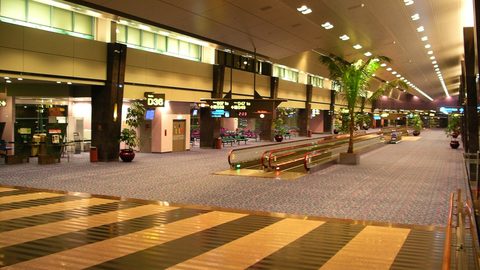 Flying Into Changi Airport Singapore and Making the Stopover Work
Changi Airport turns a Singapore stopover into a free mini-trip. How long you need to clear immigration, eat a hawker meal, and still make your connection.
Flying Into Changi Airport Singapore and Making the Stopover Work
Changi Airport turns a Singapore stopover into a free mini-trip. How long you need to clear immigration, eat a hawker meal, and still make your connection.
-
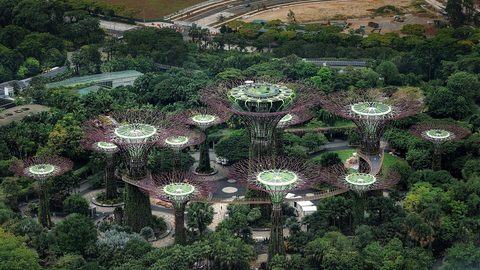 Singapore Things to Do With Only Three Days and Brutal Midday Heat
Hard calls on which Singapore sights earn limited days: Gardens by the Bay and Botanic Gardens are non-negotiable, Sentosa is skippable, and everything bends around the 11am-to-3pm heat.
Singapore Things to Do With Only Three Days and Brutal Midday Heat
Hard calls on which Singapore sights earn limited days: Gardens by the Bay and Botanic Gardens are non-negotiable, Sentosa is skippable, and everything bends around the 11am-to-3pm heat.
-
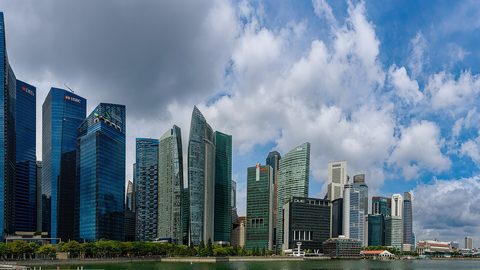 Best Time to Visit Singapore When One Degree From the Equator
Singapore sits one degree from the equator so temperature barely shifts, plan around monsoon rains, Chinese New Year hawker closures, haze season, and F1 hotel price spikes instead.
Best Time to Visit Singapore When One Degree From the Equator
Singapore sits one degree from the equator so temperature barely shifts, plan around monsoon rains, Chinese New Year hawker closures, haze season, and F1 hotel price spikes instead.
-
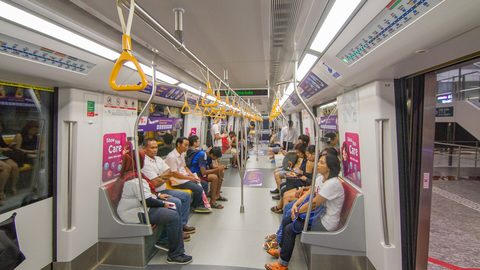 Getting Around Singapore on the MRT With Three Details That Matter
Singapore's MRT is genuinely easy, tap a contactless card at the gate, but three details trip visitors up: the midnight shutdown, post-midnight Grab surge, and CBD kerbside pickup bans.
Getting Around Singapore on the MRT With Three Details That Matter
Singapore's MRT is genuinely easy, tap a contactless card at the gate, but three details trip visitors up: the midnight shutdown, post-midnight Grab surge, and CBD kerbside pickup bans.
-
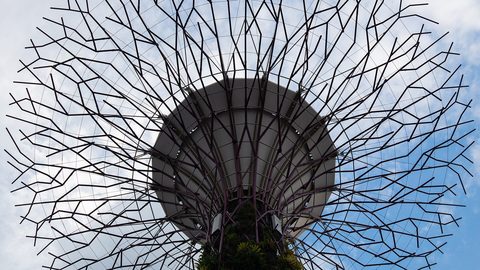 Gardens by the Bay
-
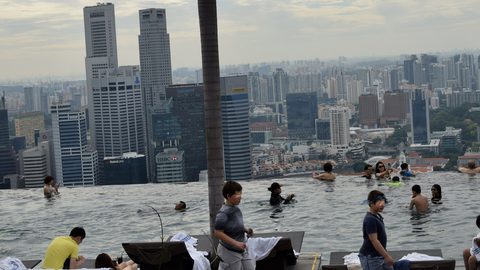 Marina Bay Sands
-
 Singapore Zoo and the Mandai parks